

What you’ll have at the end
A generated block schedule for your team that respects your rules. From there you can view it on the table, read alerts, regenerate, or link a call schedule.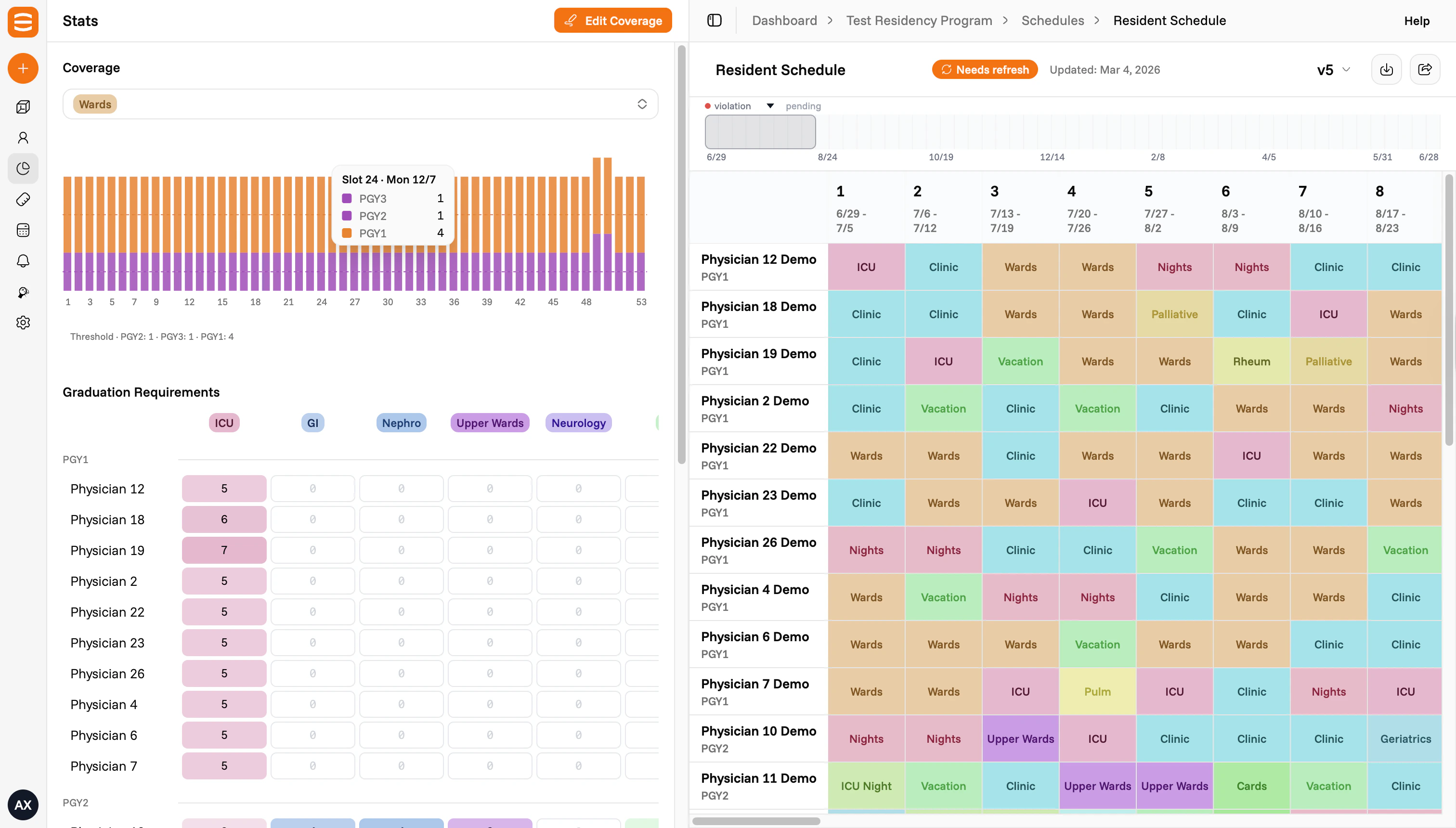
What to gather before you start
You don’t need everything to begin, but having these on hand makes setup faster:- The people on your team, with their ranks (e.g. PGY1 to PGY4)
- The blocks or rotations you schedule (e.g. Wards, Clinic, Nights, Leave)
- Rules your team already follows (e.g. coverage per block, mandates per person, call frequency, weekend rotation, leave policy)
- A past schedule in any format, if you have one
The five steps
The basics
Schedule name, team name, specialty, facility, start and end dates, slot size, statutory leave days, your physicians, and your blocks. See The basics.Rules
Plain-language rules for how the schedule should behave. Coverage (how many people per block) and mandates (minimum times each person hits a block) are kinds of rules. Examples: “no back-to-back call”, “spread weekends fairly”, “max two nights per month.” See Rules.Outside rotators
Visiting residents or other rotators who share blocks with your team but aren’t on your roster. See Outside rotators.Past schedules
A prior schedule you can upload so the system matches the patterns your team is used to. Helpful but not required. See Past schedules.Who’s who
The director, chiefs, and coordinators who run scheduling. See Who’s who.Tips
- Fill in what you have. Setup captures the starting state. You can update any input after the schedule is generated and regenerate.
- Take your time on Rules. Rules drive most of how the schedule behaves.
- No past schedule? Skip that step. It helps the system learn your patterns, but it isn’t required.