Alerts are information about your schedule that you should pay attention to. They mainly contain rule violations: places where the current assignments break a rule you set in Rules. Alerts refresh every time you save a schedule edit.

What you can do with an alert

See the violations

Click into an alert to view the list of violations of that rule. Each entry tells you which person, block, or time slot is involved.

Highlight violations on the schedule

Click the highlight button (magnifying glass icon) next to an alert. The schedule table marks every cell where the violation occurs with a red dog-ear in the corner.
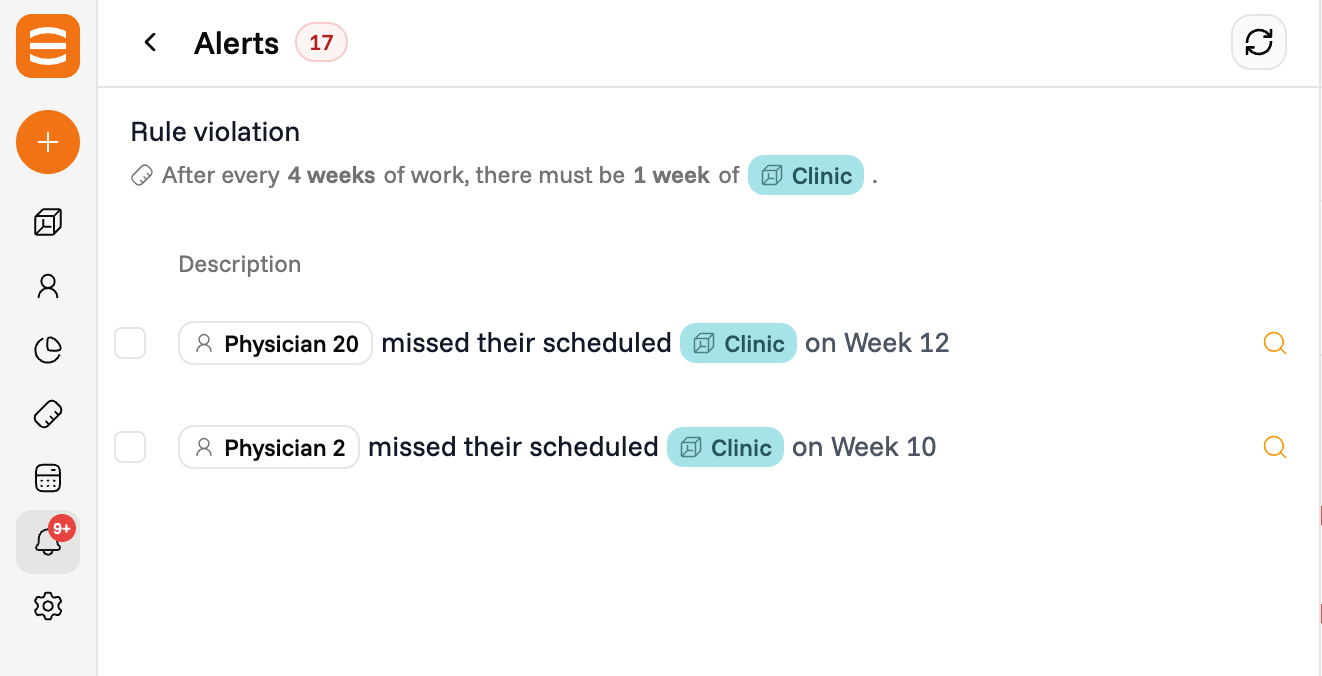
An expanded rule violation alert listing the people, blocks, and weeks involved, with a highlight button next to each entry

Fix a violation manually

Click on a cell with a red dog-ear to fix the violation by hand. See Manual edits for how cell edits work.

Hide an alert

Click the eye button on an alert to hide it. The violation disappears from the schedule table and the alert is no longer counted in the violations chart.