The schedule table is where you’ll spend most of your time. Rows are people, columns are time slots, cells are assignments.

Color-coded blocks

Block types are color-coded so you can see the structure of the schedule at a glance. Each block (Wards, Clinic, Nights, Vacation, etc.) has its own color, applied to every cell where that block is assigned.
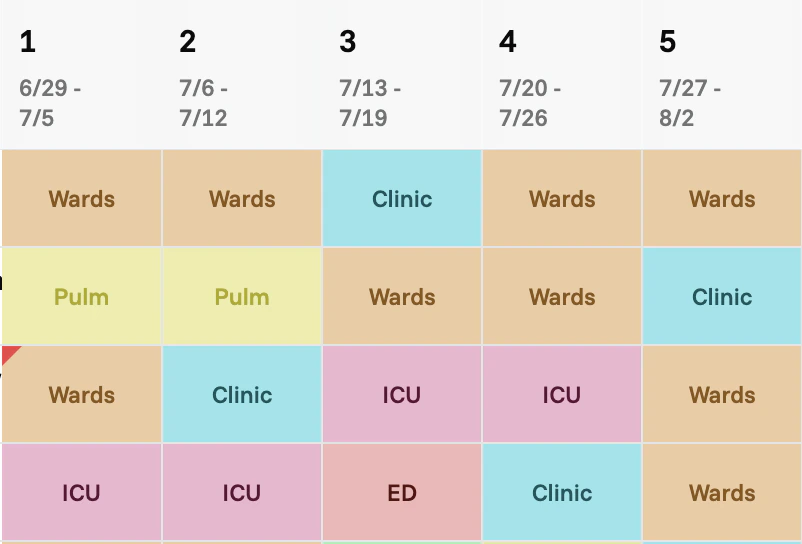
Schedule table with color-coded block types: Wards, Pulm, Clinic, ICU, ED

Violations chart

At the top of the table, you’ll see a chart showing where rule violations occur across the schedule. The chart spans the same time range as the table below, so you can scan to see which weeks or blocks have problems and where they cluster.

Violations chart spanning the schedule date range with red markers at violation locations
To understand what each violation means and how to act on it, see Alerts.

Annotate with labels

You can add short, colored annotations to a person’s slot range — for example to mark “Boards prep” weeks or “Backup” stretches that aren’t part of the rotation structure. See Labels.

Export

To download the schedule as an Excel file, see Export.